Antinuke
Antinuke
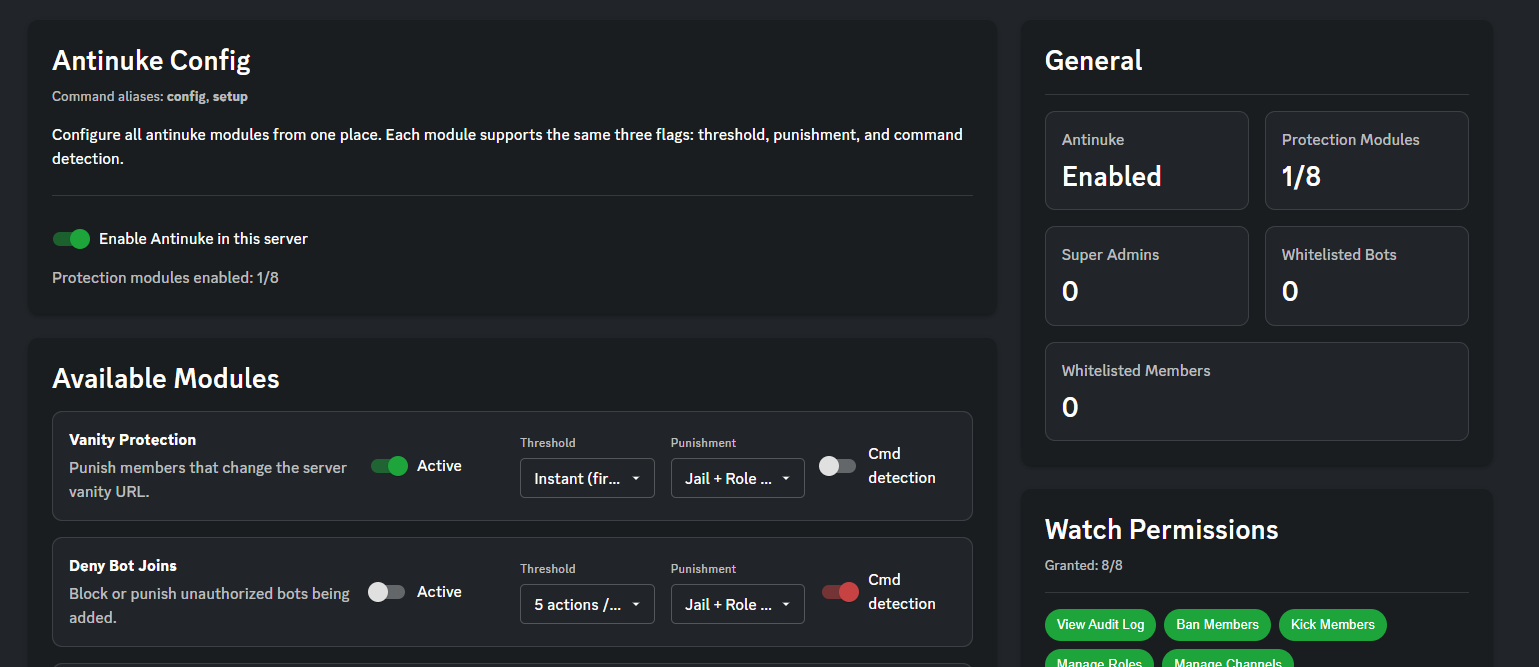
Antinuke stops people with permissions from wrecking your server.
You pick a limit, like 5 bans in 10 minutes. If someone goes over that limit, Antidote punishes them.
Quick setup
- Turn Antinuke on in the dashboard, or run
antinuke setupin Discord. - Put Antidote’s role high enough to manage roles and jail people.
- If you want Jail, set a jail role and jail channel under Moderation. If you skip that, Antidote can still strip dangerous roles.
Where to change settings
- Dashboard → your server → Antinuke
- In Discord:
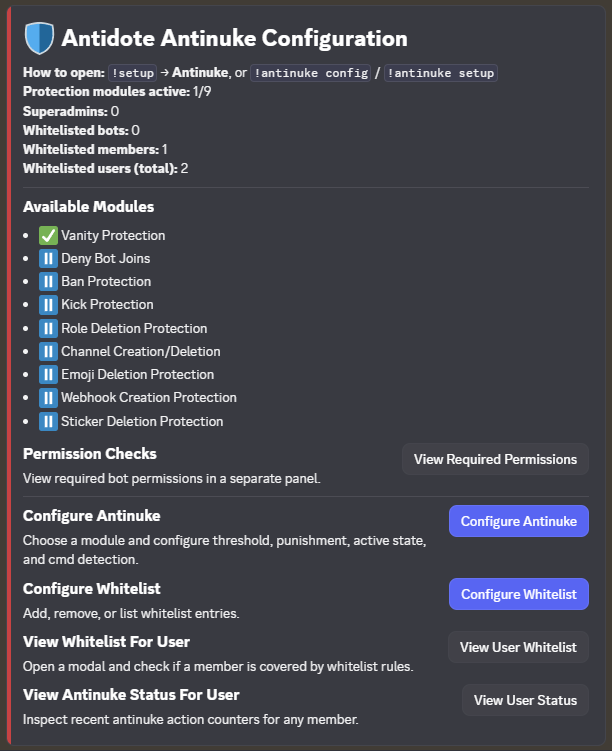
antinuke configorantinuke setup
Logging
When Antinuke punishes someone, it can post a log and ping roles.
Set this in the dashboard: Modules → Logging → Antinuke. You can open that tab directly by adding #antinuke to the Logging module URL.
Enable the Logging module and pick a channel, or nothing is posted.
What each module watches
Each module has its own limit, punishment, and Cmd detection switch. Going over the ban limit does not reset the channel limit.
| Module | Watches |
|---|---|
| Vanity protection | Changes to your custom invite URL |
| Deny bot joins | Bots being added |
| Ban protection | Members getting banned |
| Kick protection | Members getting kicked |
| Role deletion | Roles being deleted |
| Channel creation / deletion | Channels being created or deleted |
| Emoji deletion | Custom emojis being removed |
| Webhook creation | Webhooks being created |
| Sticker deletion | Stickers being removed |
Limits
A limit is how many times one person can do that action in a short window.
| Setting | Meaning |
|---|---|
| Instant | Punish on the first action. Only use this if you really want it. |
| 3 actions / 5m | 3 actions in 5 minutes |
| 5 actions / 10m | 5 actions in 10 minutes (good default) |
| 7 actions / 30m | 7 actions in 30 minutes |
| 10 actions / 60m | 10 actions in 60 minutes |
| 15 actions / 60m | 15 actions in 60 minutes |
| 20 actions / 60m | 20 actions in 60 minutes |
Use tighter limits on public servers. Small staff teams can use looser ones.
Punishments
| Punishment | What happens |
|---|---|
| Jail + strip | Takes away dangerous permissions, then jails them. If jail isn’t set up, it still strips roles. |
| Strip roles | Removes roles that can ban, kick, or manage the server, channels, roles, and webhooks. |
| Ban | Bans them from the server. |
| Kick | Kicks them from the server. |
Strip is a fast lock-down. It is not a full review of every role on the server.
Cmd detection
Each module has a Cmd detection switch. It decides whether Discord commands (slash commands and similar) count toward the limit.
- On — command actions count.
- Off — command actions are ignored for that module. Use this if staff often moderate with commands and you don’t want that to trip Antinuke.
Trusted people
- Super admins can change Antinuke settings. Only the server owner can add them.
- Whitelisted members are not punished.
- Whitelisted roles skip people who have that role.
Whitelist logging bots, ticket bots, and staff who need to do bulk actions.
Permissions Antidote needs
- View Audit Log
- Ban Members and Kick Members (if you use those punishments)
- Manage Roles (for strip and jail)
- Manage Channels
- Manage Webhooks
- Manage Expressions (emojis and stickers)
- Manage Server
If a permission is missing, the punishment may not work.
Extra commands
antinuke view @user— see how close someone is to a limit right nowantinuke clear @user— reset their current counts so they can keep working
These are live counts, not a history log.
Contents

About Antidote
Antidote is a multi-purpose Discord bot designed to give you everything you need. We provide full support for moderation, fun, economy, vc control, profiles and much, much more.