Role templates
Role templates
A role template is a ready-made pack of embeds, roles, and reaction menus.
You copy or edit it in the dashboard, then run it so Antidote can create the Discord roles, post the embeds, and attach the menus.
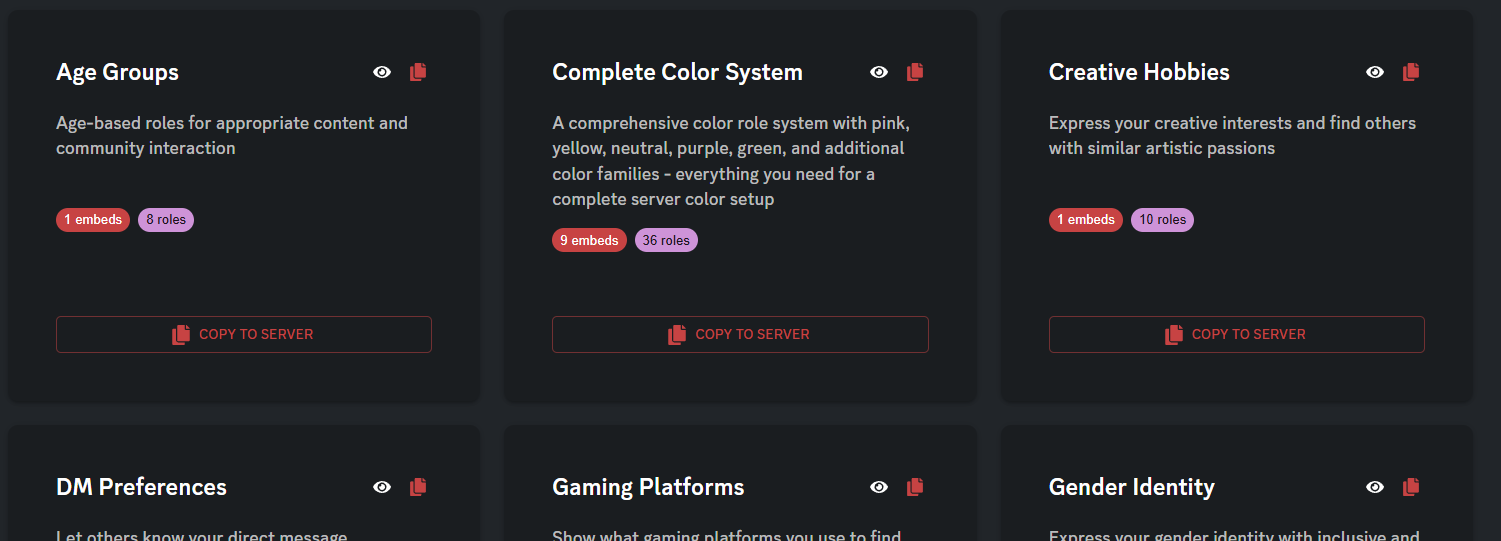
Copy from the library
- Open Templates library and view a template.
- Copy to server puts it under My templates.
- You can edit, run, or delete that copy without changing the library.
Deleting a server template only deletes the saved setup in Antidote. Roles and messages already created in Discord stay.
Edit a template
Each embed is its own card, with:
- name, color, title, and description
- optional author, footer, images, and fields
- roles under that embed: name, color, and reaction emoji
Before you can save:
- every role needs an emoji
- two roles in the same embed cannot share the same emoji
Run a template
- Channel — required. Embeds and menus are posted there.
- Anchor role — optional. New roles are placed near this role in the list.
- Execute — creates the roles, saves the embeds, and sets up the menus.
If a role name already exists, Antidote reuses or updates it. Read the warning before you confirm.
You need dashboard access. Antidote needs Manage Roles and a role above the roles it creates.
Discord command
Admins can also run template <template_id> in a channel. The ID is the number shown on your server template in the dashboard.
Use Execute template in the dashboard if you want to pick the channel and anchor role without typing IDs.
Related
- Role menus — how menus, groups, and DMs work after they are posted
Contents

About Antidote
Antidote is a multi-purpose Discord bot designed to give you everything you need. We provide full support for moderation, fun, economy, vc control, profiles and much, much more.